Explore dimensions

Three worlds, one launcher

Minecraft's adventure spans the grassy Overworld, the fiery Nether, and the void of the End. Each dimension has unique resources, mobs, and bosses. The official launcher downloads the edition you choose—Java or Bedrock on Windows—then you step into whichever world your save or server loads.

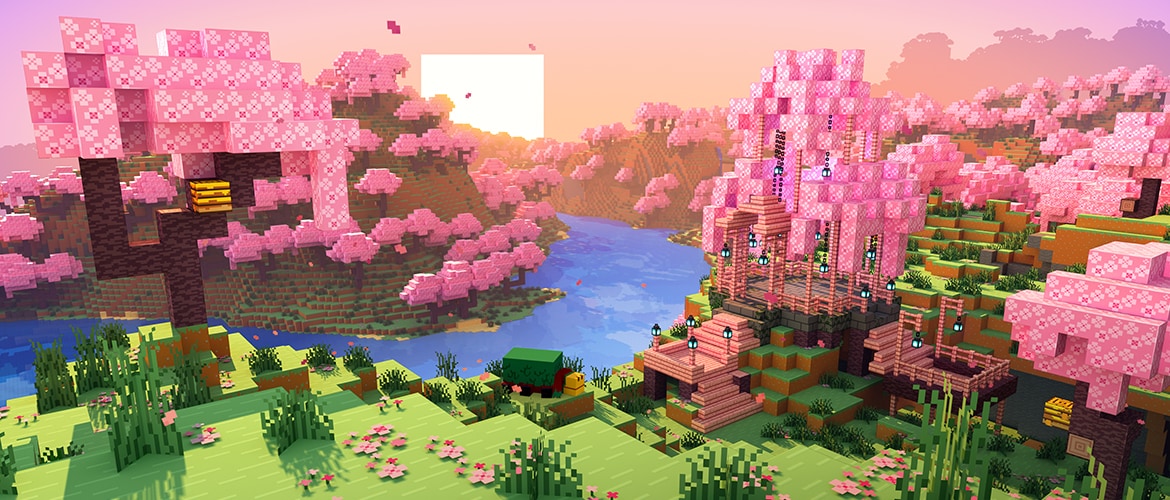
Cherry Grove scene from the Minecraft Overworld

Overworld

Mine, craft, build

The Overworld is where every new world begins. Rolling plains, deep oceans, snowy peaks, and underground cave systems generate infinitely as you explore. Cherry groves, deserts, jungles, and trial chambers each offer distinct blocks, mobs, and loot.

Survival progression starts here: wood tools, iron armor, diamond gear, and enchantments from villagers and structures. Build farms for food and resources, trade with villagers, or terraform the landscape in Creative mode. Multiplayer servers and Realms almost always center on Overworld hubs before players venture elsewhere.
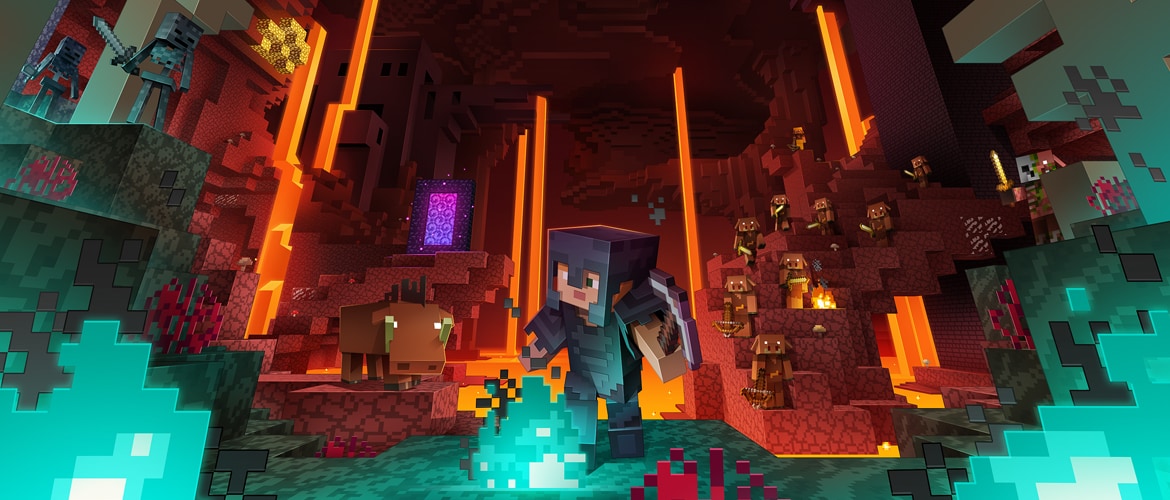
Official Minecraft Nether dimension artwork with fortresses and lava seas

The Nether

Fortresses & blaze rods

Build a nether portal from obsidian, light it with flint and steel, and enter a hellish dimension of lava oceans, soul sand valleys, and crimson forests. Piglins trade gold; hoglins roam the wastes; and blaze spawners in nether fortresses supply blaze rods for brewing and eyes of ender.

Ancient debris hides deep in the Nether for netherite—the strongest tool tier. Bastion remnants and ruined portals add exploration goals. The Nether is dangerous: fire, lava, and aggressive mobs punish unprepared trips. Many players set up safe portal rooms and piglin bartering halls before pushing deeper.

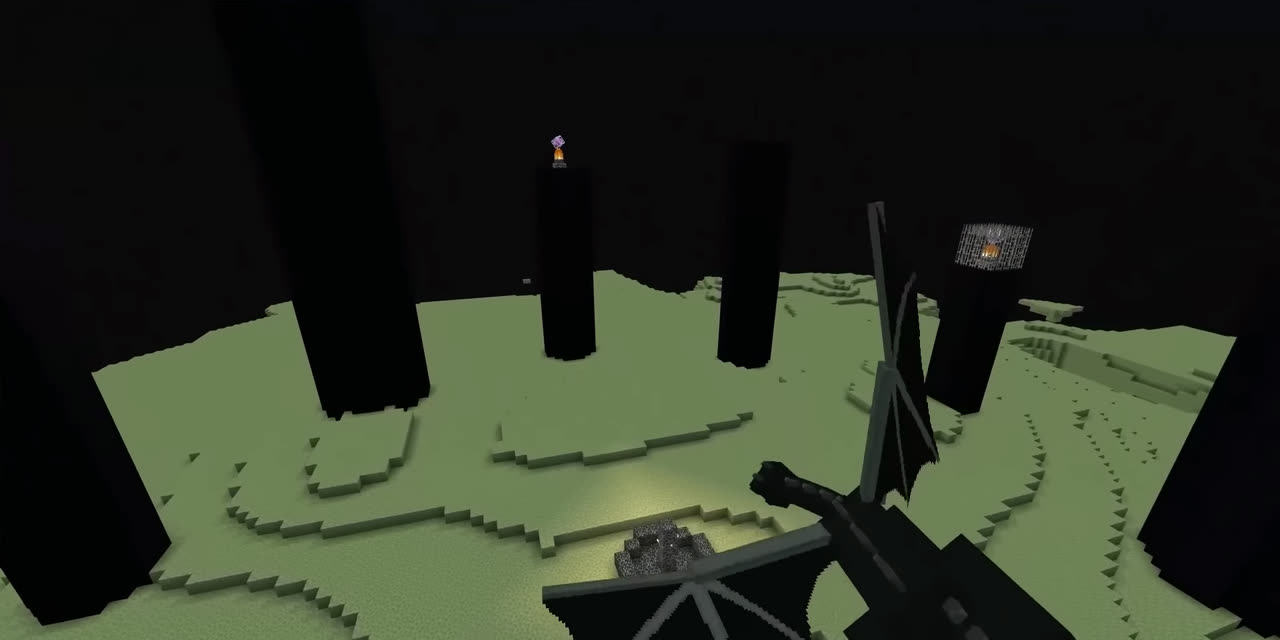
The End dimension with the Ender Dragon and end cities

The End

Dragon & elytra

Locate a stronghold with eyes of ender, activate the End portal, and face the Ender Dragon on the main island—a floating arena of end stone and obsidian towers. Defeating the dragon opens gateways to outer End islands dotted with end cities, shulkers, and shipwrecks that hold elytra wings.

The End is the traditional capstone of vanilla Survival. After the dragon, players farm shulker boxes for portable storage and practice elytra flight between islands. Speedrunners and challenge runners optimize routes through all three dimensions; casual players often treat the End as a victory lap before returning to Overworld megabuilds.

World saves vs dimensions

How worlds work in each edition

A "world" in Minecraft is a save file or server instance. Dimensions are layers inside that world, linked by portals—not separate games you download individually.

Single-player worlds

When you create a world in Java or Bedrock, the Overworld, Nether, and End generate together. Your inventory, builds, and progress persist across dimensions. The launcher launches the game client; your worlds live in the game's save folder on disk or in cloud backup if you use Realms.

Realms and servers

Realms are Mojang-hosted worlds with a subscription. Bedrock Realms support cross-play; Java Realms run Java Edition only. You manage Realms from the in-game menu after launching through the launcher.

Player-hosted servers run 24/7 on dedicated hardware or a friend's PC. Java servers support mods and plugins; Bedrock dedicated servers exist but most casual cross-play uses Realms or featured Bedrock servers. The launcher only starts the client—you still need the server address or Realm invite.

World settings that matter

  • Game mode — Survival, Creative, or Adventure (Java) at creation; some editions allow switching later.
  • Difficulty — Peaceful removes hostile mobs; Hard increases damage and enables villager zombie conversion rules.
  • Cheats — Allow commands like /tp and change game rules; required for some Creative conveniences.
  • Experiments — Bedrock optional toggles for preview features before they ship in full releases.
Launcher delivery

How the launcher delivers editions to your worlds

The launcher does not generate worlds itself. It ensures you run the correct game binary, runtime, and version so your saves load properly.

Windows

Java and Bedrock worlds

Install from the Microsoft Store. Pick Java Edition or Minecraft for Windows in the left rail. Each edition has separate save locations—Java worlds do not open in Bedrock.

Bedrock worlds support Marketplace content and cross-play. Java worlds support mods via installations that point mod loaders at specific folders.

macOS

Java Edition saves

Download the .dmg from launcher.mojang.com or minecraft.net. Only Java Edition is available. All three dimensions work identically to Windows Java—same blocks, same Nether and End progression.

Linux

Java on .deb or .tar.gz

Use the Debian package or portable archive from launcher.mojang.com. Java Edition only. World saves live under your home directory in the standard .minecraft path unless you override the game directory in an installation profile.

Version and installation profiles

Java Edition lets you create multiple installations in the launcher—one for the latest release, one for snapshots, one for a modded Forge profile. Each installation can use a different game directory, so modded worlds never corrupt vanilla saves.

Bedrock on Windows updates through the launcher and Microsoft Store together. Marketplace worlds and add-ons download inside the game after you launch Bedrock from the launcher home screen.

For a full edition comparison, see games and platform support. For download links per OS, visit the download page. After the file finishes, the install guide walks through sign-in and first launch.

Install the official launcher, sign in with your Microsoft account, and create or join a world in the dimension you choose.

Install guide